Snow for Video

Immersive snowfall with ethereal movement

Study the work of Hollywood’s most revered filmmakers and you’ll notice they don’t just tell stories, they create worlds. And these aren’t just worlds the characters live in, but worlds the viewer is viscerally caught up in too.

Time and time again we’ve witnessed how great directors use snow in particular to create a feeling of transcendence. We wanted to make this powerful filmmaking aesthetic available to you in an easy-to-use format.

To pull this off, we worked with the visual experts behind the snow scenes in many of today’s top films and series, including a wildly popular medieval fantasy epic. The result — the most iconic snow effects library available today.

These aren’t your run-of-the-mill fairy tale snow effects. Snow can be romantic, and this pack includes some of the classic styles you’d expect, but it goes beyond the whimsical to the cinematic.

Snow 4K

Immersive snowfall with ethereal movement
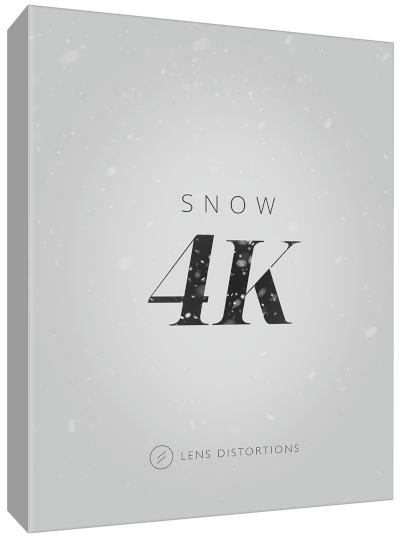
Snow 4K

Snow 4K

Snow for Video

Trailer

Overview

Create Cinematic Worlds

These aren’t your run-of-the-mill fairy tale snow effects. Snow can be romantic, and this pack includes some of the classic styles you’d expect, but it goes beyond the whimsical to the cinematic.

The library was curated with versatility in mind, making it incredibly easy for both beginner and advanced editors to create immersive visuals. And because all the elements are captured in-camera, you get ethereal depth, texture, and motion that simply can’t be replicated digitally.
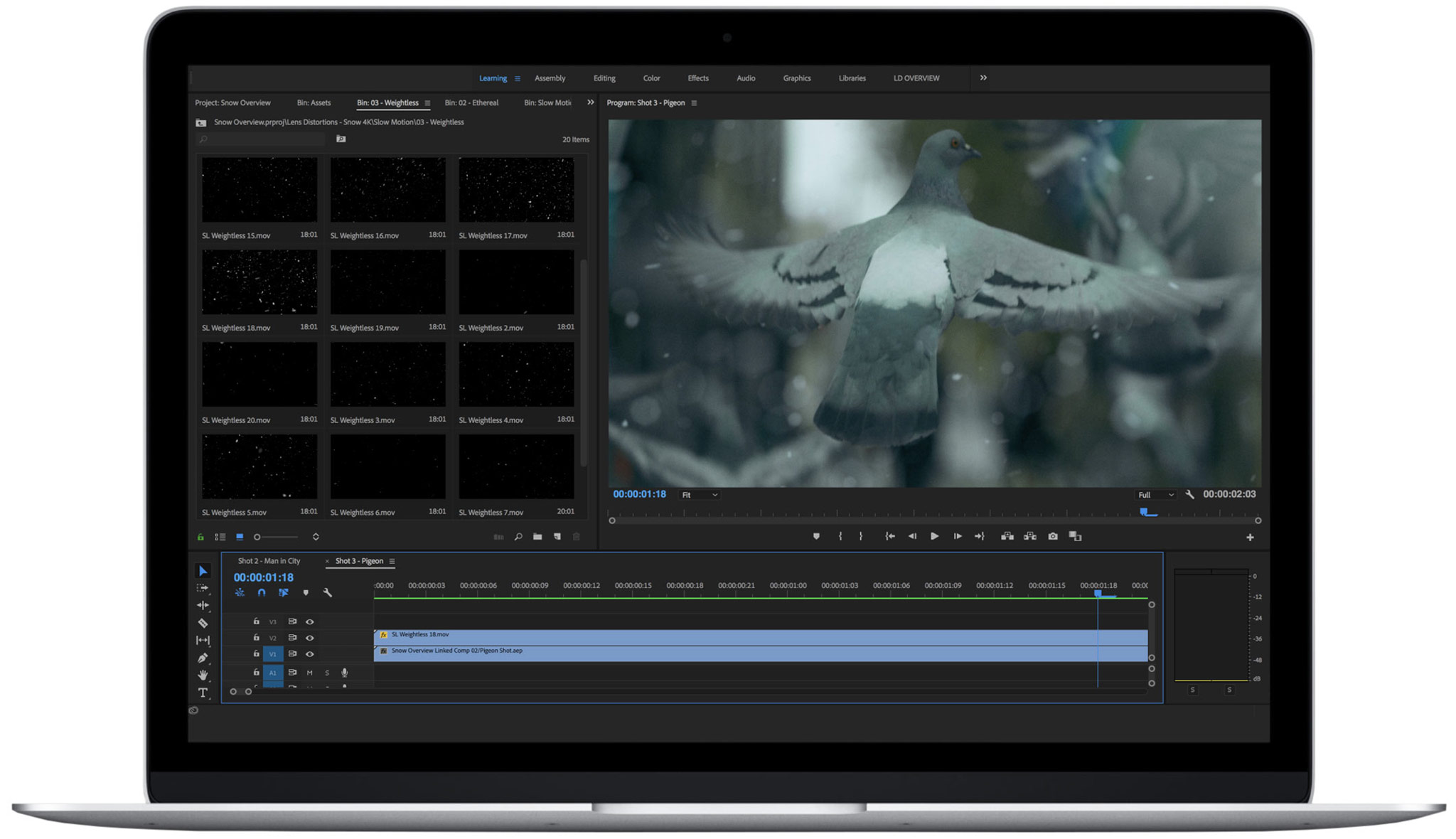
Normal Speed + Slow Motion

Odds are, you’re shooting both 24p and 60p on a regular basis, and this library has you covered for both.

As a general rule, you’ll want to use normal speed effects on footage that is 24p – 30p and the slow-motion effects on any footage above 48p. It certainly doesn’t have to be an exact match… you have a lot of creative freedom.

A Curated Library

The library contains 120 effects, organized into two main categories: Normal Speed and Slow Motion. Each category includes 4 distinct styles.

Normal Speed – Classic

Steady downfall just as you’d expect.

Normal Speed – Ethereal

Flurries that seem to have a mind of their own. Gusting in various directions to create an encompassing cinematic feel.

Normal Speed – Weightless

Floating upward as much as downward and plenty of side to side. These filters seem to hang in the air effortlessly.

Normal Speed – Intense

A frenzy of movement and near whiteout conditions.

Slow Motion – Classic

Steady downfall just as you’d expect.

Slow Motion – Ethereal

Flurries that seem to have a mind of their own. Gusting in various directions to create an encompassing cinematic feel.

Slow Motion – Weightless

Floating upward as much as downward and plenty of side to side. These filters seem to hang in the air effortlessly.

Slow Motion – Intense

A frenzy of movement and near whiteout conditions.

MEMBERSHIP FAQ

Access for a single-user* to all products and songs that are currently availabe on our website.

Our mobile app is not included. The subscription on our website and the subscription in our mobile app are entirely separate.

Browse the VFXSFXColor, and Photo pages to familiarize yourself with our product lineup. You can preview our entire song catalog on the Music page.

*Our Elite Membership offer the best value for teams with 5 or more people.

Generally, all professional video editing softwares are compatible: Premiere Pro, Final Cut Pro X, Davinci Resolve, After Effects, LumaFusion, etc

Each of our product lines (VFX, SFX, Color, etc) has slightly varied compatibility, so click a link below to learn more about the specific editing software each product line is compatible with:

VFX compatibility
Color compatibility
SFX compatibility
Photoshop compatibility

Our VFX products are delivered as ProRes files, some also offer an H264 option.

SFX products and Music are provided as WAV and MP3.

Finishing LUTs are standard .cube LUT files.

Photo products are Photoshop actions + image files.

The membership covers social media, client work, all forms of advertising, and YouTube monetization.

TV programming, VOD (Netflix, etc), and theatrical releases require an Elite Membership.

Assets must be incorporated into a project with other footage, photographs, etc.

Example of things you cannot do include:

  • Share files or accounts with friends
  • Incorporate our assets into any sort of product
  • Upload music to Spotify, Apple Music, etc
  • Upload songs by themselves to Youtube, Facebook, etc
  • Use our music or sound effects as part of your own music or record vocals on our tracks
  • Claim ownership of any of our assets with Youtube’s Content ID

Please review the full license agreement for more details.

Upload to YouTube and monetize with confidence!

We provide you with two easy methods to automatically clear copyright claims within minutes.

1) Register a YouTube channel to automatically clear copyright claims on any video containing Lens Distortions tracks. 

2) Generate License Codes for a specific project. Just include the codes in your video’s description when uploading to YouTube and any claims will automatically clear within minutes. This is a great solution for client projects or if you manage multiple YouTube channels.

Videos published while your membership is active are covered forever.

Learn More >

For small teams, simply activate a single-user membership for each person on your team.

For larger teams, consider purchasing an Elite plan, which covers multiple users and extended placements.

If you cancel, your membership will remain active until the end of your current subscription period and will not renew. Subscription fees are not refundable.

Any projects you publish while the subscription is active are covered forever but you will no longer have a license to use any assets moving forward and must delete all downloaded files from your computer.

Extremely Versatile

You can use these filters in a wide range of circumstances, even on shots that aren’t explicitly snowy to start with.

This is not about creating a cliche winter scene, but about tying disparate shots together to make them feel like they’re all part of the same world.

When snow is falling across a sequence of shots, your audience knows everything is somehow connected.

Normal Speed + Slow Motion

Odds are, you’re shooting both 24p and 60p on a regular basis, and this library has you covered for both.

As a general rule, you’ll want to use normal speed effects on footage that is 24p – 30p and the slow-motion effects on any footage above 48p. It certainly doesn’t have to be an exact match… you have a lot of creative freedom.

A Curated Library

The library contains 120 effects, organized into two main categories: Normal Speed and Slow Motion. Each category includes 4 distinct styles: 01 Classic, 02 Ethereal, 03 Weightless, and 04 Intense.

Tutorial: Using Snow 4K in Adobe Premiere

Tutorial: Using Snow 4K in Final Cut Pro X
General FAQ

No: we price based on the total number of employees of the buying entity (including video and non-video roles), not on the number of users.

The Freelance plan is for freelance work and is exclusively available to a self-employed individual or company with 7 or fewer employees total (including video and non-video roles).

If you are an in-house editor at a brand, agency, or any organization with 8+ employees across all roles, you must purchase a Business plan in order to legally use our assets. Please contact [email protected] for a quote.

Our Freelance plans cover work for external clients with 1,000 or fewer employees. If you work on projects for clients with more than 1,000 employees, you have two options:

  1. If you often have large clients, a Business Plan might be the best fit. Reach out to us via the Business Plans tab.
  2. If you often have large clients, you can get a quote to increase the client size limit on your plan.

Our Freelance plans cover web and social media advertising, YouTube monetization, and film festival submissions. If you need to use our assets in streaming/broadcast ads, streaming/broadcast programming, theatrical releases, or anything else not covered by our Freelance plan license, please get in touch.

Assets must be “synchronized” into a video or podcast project with other media and may not be used on their own. Assets may not be used to create new musical works.

Examples of things you cannot do:

  • Share files or accounts with other people
  • Make music with our assets or sing over our tracks
  • Incorporate our assets into any sort of product or app
  • Upload our assets to Spotify, Apple Music, etc.
  • Upload assets by themselves to YouTube, Facebook, etc.
  • Automatically or excessively download our assets

Please review the full license agreement for full terms.

Yes! Upload to YouTube with confidence! We’ll never mute a Member’s video or have it removed.

Our assets are registered with YouTube’s Content ID system and YouTube will notify you that it has detected copyrighted music in your video. But don’t worry: this has no negative effect on your video or channel.

If you want to monetize your channel, simply connect your YouTube channel to your Lens Distortions account to pre-clear the channel for use with our assets.

Alternatively, you can create singe-use license codes to include when uploading your video in lieu of registering your channel. This option is great for clients you don’t work with on an ongoing basis.

Rest assured, videos cleared while your membership is active remain cleared forever.

Instagram, Facebook, Twitter, Vimeo, etc are already cleared and do not currently require you to register your account or use License Codes.

Learn More >

No: we only offer annual plans. We’re focused on long-term relationships with customers who benefit from year-round access to world-class assets. While our annual plans are a larger investment up-front, they pay for themselves with only a few projects.

Yes! You can upgrade to a higher plan at any time. Changes will take effect immediately.

If you’re already a member, visit the Upgrade Plan page to choose a new plan and see your prorated price at checkout. Upgrading will always start a new annual period, but you will receive a credit for unused time on your current subscription.

Please note the “Total Due Today” and “First Renewal” on the checkout screen to understand what and when you will pay.

Memberships provide access to our platform to quickly find and download individual assets as needed for projects. They aren’t intended for the member to have entire albums or libraries downloaded to their hard drive.

You’re certainly welcome to download as many individual assets as you genuinely need for your current projects, but to prevent abuse, our system may notify you if it detects excessive downloading. Most members rarely run into this as they usually only download a handful of files on any given day.

Projects completed while a member are licensed forever, but the assets you download aren’t. Since the assets downloaded during membership are only licensed for use while a member, it wouldn’t be feasible to deliver entire libraries to members as they would have hundreds/thousands of unlicensed files floating around on their computers if they chose to cancel their membership.

If you choose to cancel, your membership will remain active until the end of your current subscription period.

Once your subscription ends, you will no longer have permission to use any assets you’ve downloaded in new projects.

Don’t worry, any projects you already published while your membership was active are covered forever and you will not retroactively receive copyright claims.

Membership fees are not refundable.

You can create a free account and download a watermarked preview of any music track and add assets to project playlists.

These “temp tracks” are great for seeing if a track is a good fit for your project or client. Simply activate a membership when you’re ready to officially use a track.

Request a quote

Asset thumbnail

Start your membership
to get access.

View Pricing